Home › Forums › Jevelin Theme › Marginless Gallery
- This topic has 1 reply, 2 voices, and was last updated 8 years, 8 months ago by
Shufflehound Support.
- AuthorNOT RESOLVED Posts
- akalabParticipant
<div class=”sh-bbp-replies-center-author”>
<div class=”sh-bbp-replies-center-author-left”></div>
<div class=”sh-bbp-replies-center-author-right”></div>
</div>
<div class=”sh-bbp-replies-center-description”>Dear Support,
More questions in tweeking the Template!
- I have chosen to use Portfolio Marginless Gallery as shown here. However, when I apply this Portfolio Page and choose to see it, I can’t get it full screen. Please see here
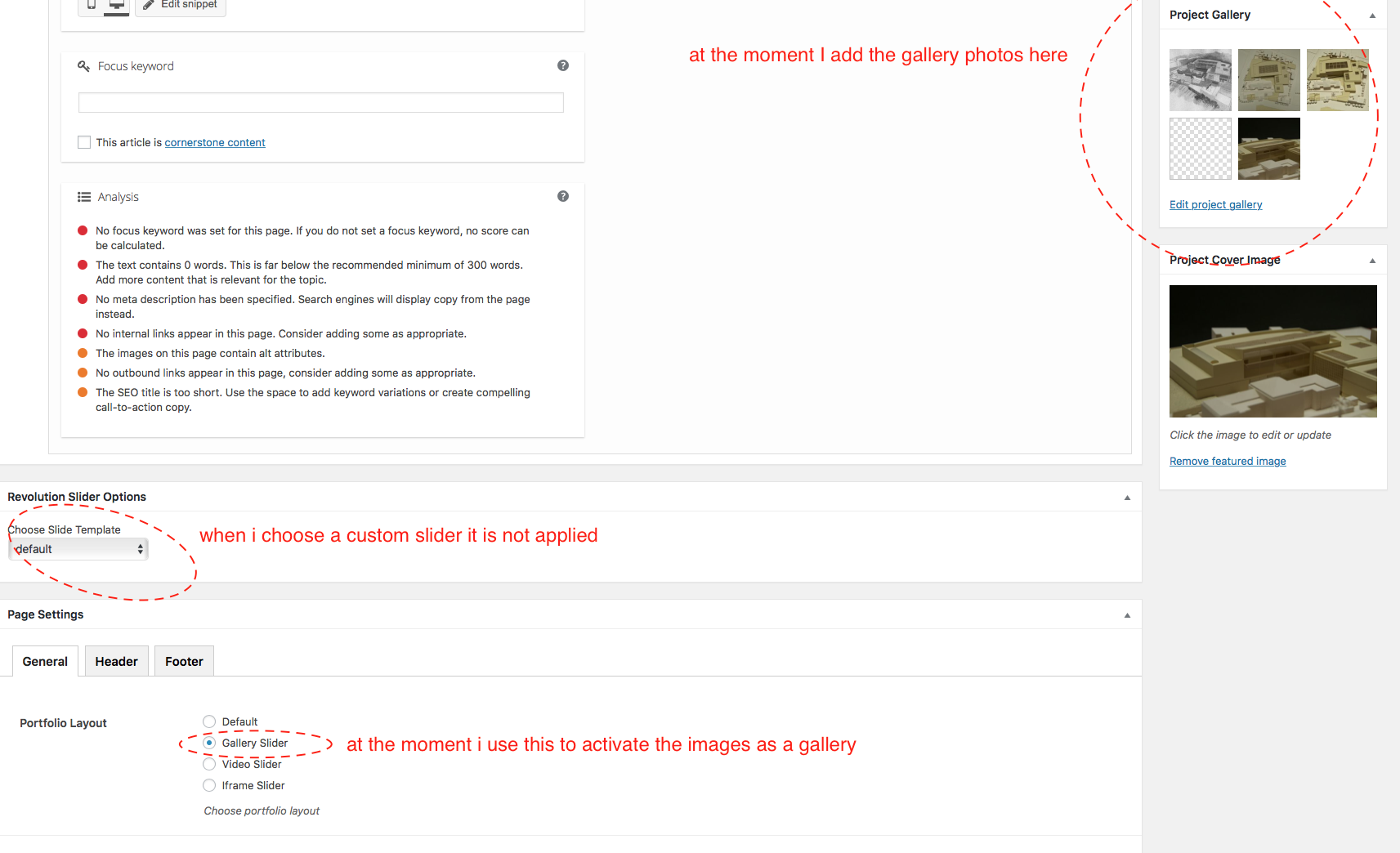
- How can I apply a custom gallery made in IMAGE RESOLUTION? At the moment I am uploading images to the GALLERY Section (just above the header Image) and then change the Page Setting from Default to Gallery. But can;t apply the Slider Revolution. Would appriciate your help. Thanks!
<div class=”bbp-attachments”>
<h6>Attachments:</h6>- <li id=”d4p-bbp-attachment_15674″ class=”d4p-bbp-attachment d4p-bbp-attachment-png bbp-atthumb”>
<div class=”wp-caption”>
<p class=”wp-caption-text”>Screen-Shot-2017-12-04-at-12.20.12.png</p></div>
</div>
</div>Shufflehound SupportModeratorHi @akalab,
I hope you are well today and thank you for your questions.
I have chosen to use Portfolio Marginless Gallery as shown here. However, when I apply this Portfolio Page and choose to see it, I can’t get it full screen. Please see here
To display it full width, you have to make the section full width ( shown in the attached screenshot ) in which you have added the portfolio.
How can I apply a custom gallery made in IMAGE RESOLUTION? At the moment I am uploading images to the GALLERY Section (just above the header Image) and then change the Page Setting from Default to Gallery. But can;t apply the Slider Revolution. Would appriciate your help. Thanks!
You should be able to assign the slider by creating slider as shown in the attached screenshot but i could confirm on my test site that it is not working therefore notified the theme developer about this so that it will be fixed.
The issue will be fixed ASAP.
Best regards,
Shufflehound teamAttachments:
You must be logged in to view attached files. - AuthorPosts